 Quoted Quoted
Save quotes from anywhere, organize them your way, and let one find you every morning. Quoted is a quiet, personal library — not another feed.
Free to use · One-time Patron unlock for extras · No account required
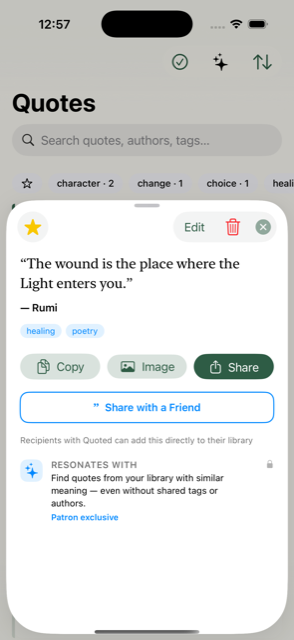
A few screens from the app.
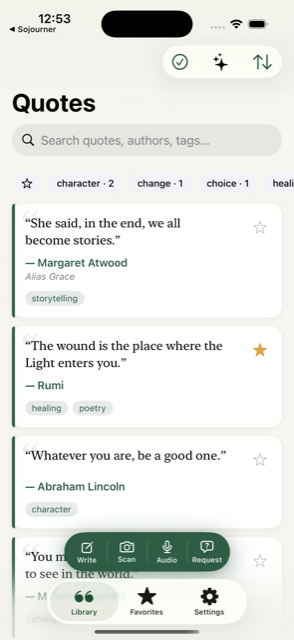
Six ways in — from typing it yourself to asking Siri to do it for you.
Type or paste a quote from the action pill. Quoted suggests authors already in your library as you type.
Point your camera at a printed page. On-device OCR recognizes the text — tap the lines you want and capture.
Select text in Safari, Kindle, or Messages, tap Share, choose Quoted. Share a whole page and its title becomes the source.
Tap the audio button and dictate a quote out loud. Live, on-device transcription — your voice never leaves your phone.
“Hey Siri, add a quote to Quoted.” Siri asks for the quote and the author, then saves it — no app required.
Name a topic — courage, patience, love — and send the link. They pick a quote from their own library and send it back.
Organize & Rediscover
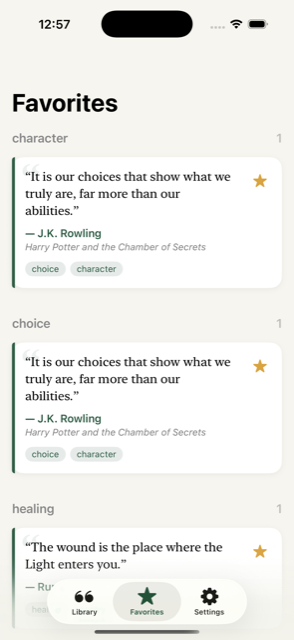
Star the ones that matter. Browse favorites grouped by tag, or filter your whole library down to starred lines.
Search by meaning, not just words. Type a feeling — “beginning again” — and Quoted ranks quotes by how close they are, fully on-device.
Give your phone a shake in the library to surface a forgotten line you saved months ago.
Open any quote to surface related lines from your library — even ones with no shared tags or authors. (Patron)
Rename an author across every quote at once, right from Settings or from any author’s detail view.
Quoted flags quotes you may have already saved, so your library stays clean as it grows.
Live With It
A different quote every day, right on your home screen. Small or medium size, in a style you pick — Paper, Bottle, and more.
One quote a day at the time you choose, drawn from favorites or your full library. Entirely on-device.
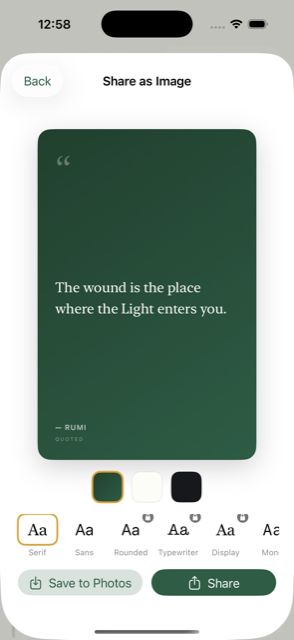
Turn any quote into a beautiful 4:5 card — pick a style and a font, then save or share it anywhere.
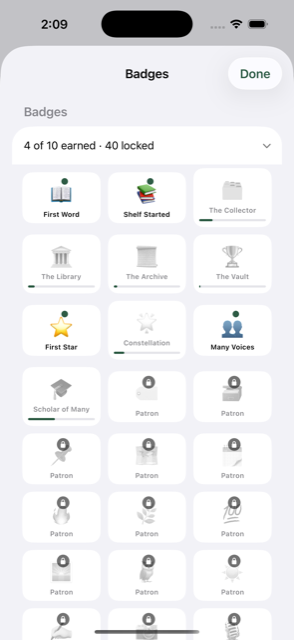
48 badges for milestones, streaks, and habits — early bird, night owl, Sunday reader, and hidden easter eggs.
Six accent themes and six app icons to make the library feel like yours.
A hidden gesture — tap the library title seven times — surfaces a curated set of favorites to get you started.
OCR, voice transcription, and semantic search all run entirely on your device. Nothing is sent to a server just to save or search a quote.
A single purchase that supports development and unlocks the cosmetic and AI-powered extras — with Family Sharing included.
Classic Mark
Mark Ruled
Ruled Bookmark
 Pullquote
 Geometric
Free to download. No account, no ads, no feed — just your quotes, kept well.